
Original post
(edited)
Spotifast — A lightweight, native Spotify client
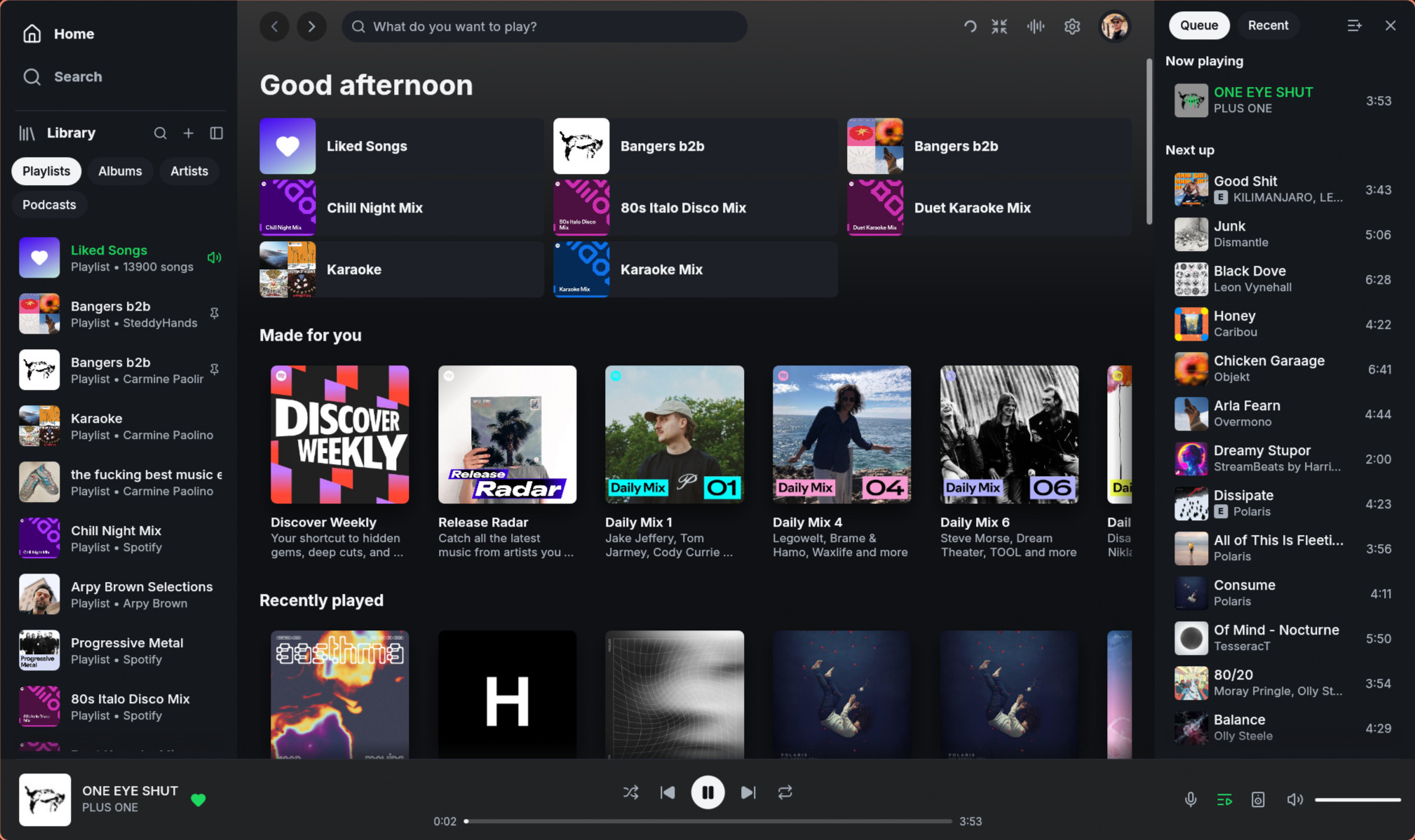
If you feel like the official Spotify desktop app is heavier than it needs to be, Spotifast is a pretty interesting alternative.Spotifast is a free and open-source Spotify client built in Rust, available for Windows, Linux, and macOS. Instead of embedding a browser engine, it uses a native interface and is designed around being fast and lightweight.
⚡ Why Spotifast?
One of its biggest selling points is resource usage. Spotifast typically uses around 100–250 MB of RAM and opens in well under a second.Despite being lightweight, it still covers most of what you'd expect from a desktop Spotify client:
- 🎵 Play music directly on your computer
- 🔊 Spotify Connect support
- 📚 Playlists, Liked Songs, albums, artists and podcasts
- 🔎 Catalogue search
- 🎨 Light, dark and custom themes
- ⌨️ Media keys and keyboard shortcuts
- 🖥️ System tray/background playback
- 📻 Classic Winamp mini-player and `.wsz` skins
- 🌀 MilkDrop music visualizations with thousands of presets
- 🔓 Fully open source
A particularly cool addition is the Winamp mode. Spotifast can load classic Winamp skins and turn itself into a proper little Winamp-style player, including the playlist, equalizer and visualizations.
⚠️ Spotify Premium is required for playback
There's one important limitation: playing music requires a Spotify Premium account.Free Spotify accounts can still browse and search, but Spotifast doesn't bypass Spotify's Premium restrictions or ads.
Spotifast is also an unofficial client and isn't affiliated with Spotify.
🔗 Links
Website: https://spotifast.rocks/Download: https://spotifast.rocks/download/
Source code: https://github.com/crmne/spotifast
For anyone who wants Spotify without running another Chromium-style desktop application, this is definitely worth checking out.